
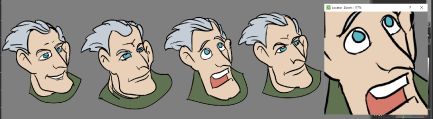
The latest nightly build has a new Zoom tool that is quite useful.
The Locator Sub-Window can be used in various way to view close up details.
One thing I find particularly useful is drawing directly in the sub-window as it produces smoother results that drawing on the canvas but just watching in the viewer.
To adjust the location of the viewer use the shortcut keys to move (Space) and Zoom (Shift Space). Go back to the Brush (B key) and change the size of the brush (Alt).
 Want to see a video demonstration of the feature?
Let me know in the comments.


 newartofanimation